List of built-in ranking rules
Meilisearch contains seven built-in ranking rules in the following order:1. Words
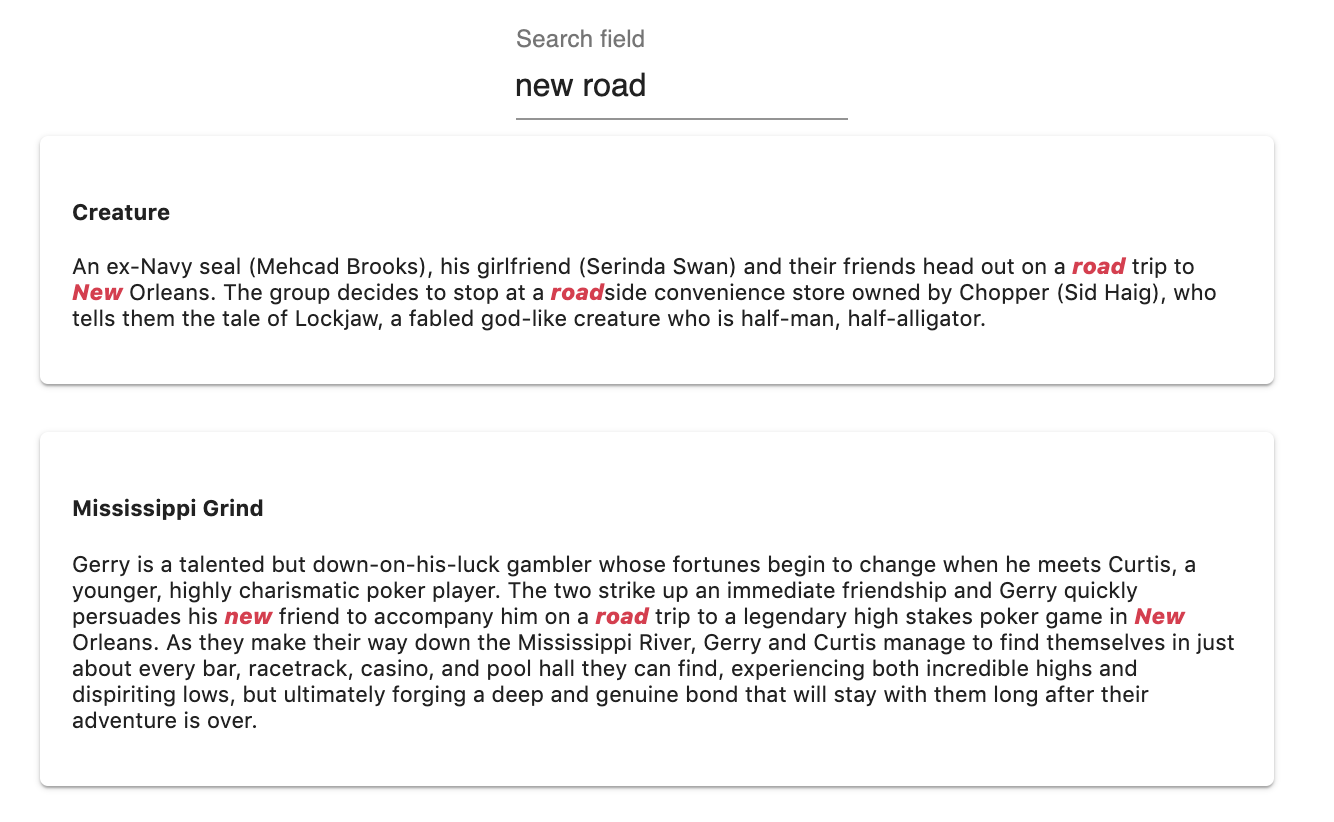
Results are sorted by decreasing number of matched query terms. Returns documents that contain all query terms first. To ensure optimal relevancy, Meilisearch always sort results as if thewords ranking rule were present with a higher priority than the attributes, exactness, typo and proximity ranking rules. This happens even if words has been removed or set with a lower priority.
The
words rule works from right to left. Therefore, the order of the query string impacts the order of results.For example, if someone were to search batman dark knight, the words rule would rank documents containing all three terms first, documents containing only batman and dark second, and documents containing only batman third.2. Typo
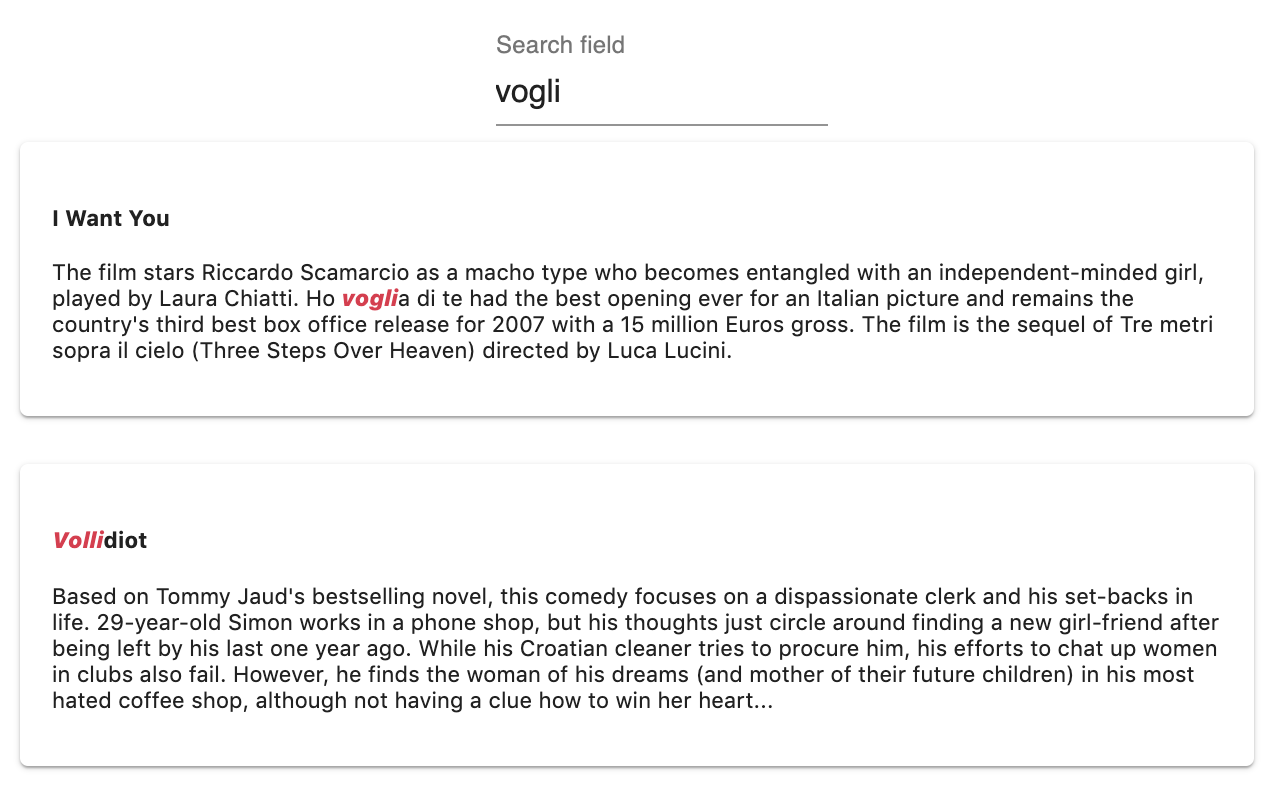
Results are sorted by increasing number of typos. Returns documents that match query terms with fewer typos first.3. Proximity
Results are sorted by increasing distance between matched query terms. Returns documents where query terms occur close together and in the same order as the query string first. It is possible to lower the precision of this ranking rule. This may significantly improve indexing performance. In a minority of use cases, lowering precision may also lead to lower search relevancy for queries using multiple search terms.4. Attribute rank
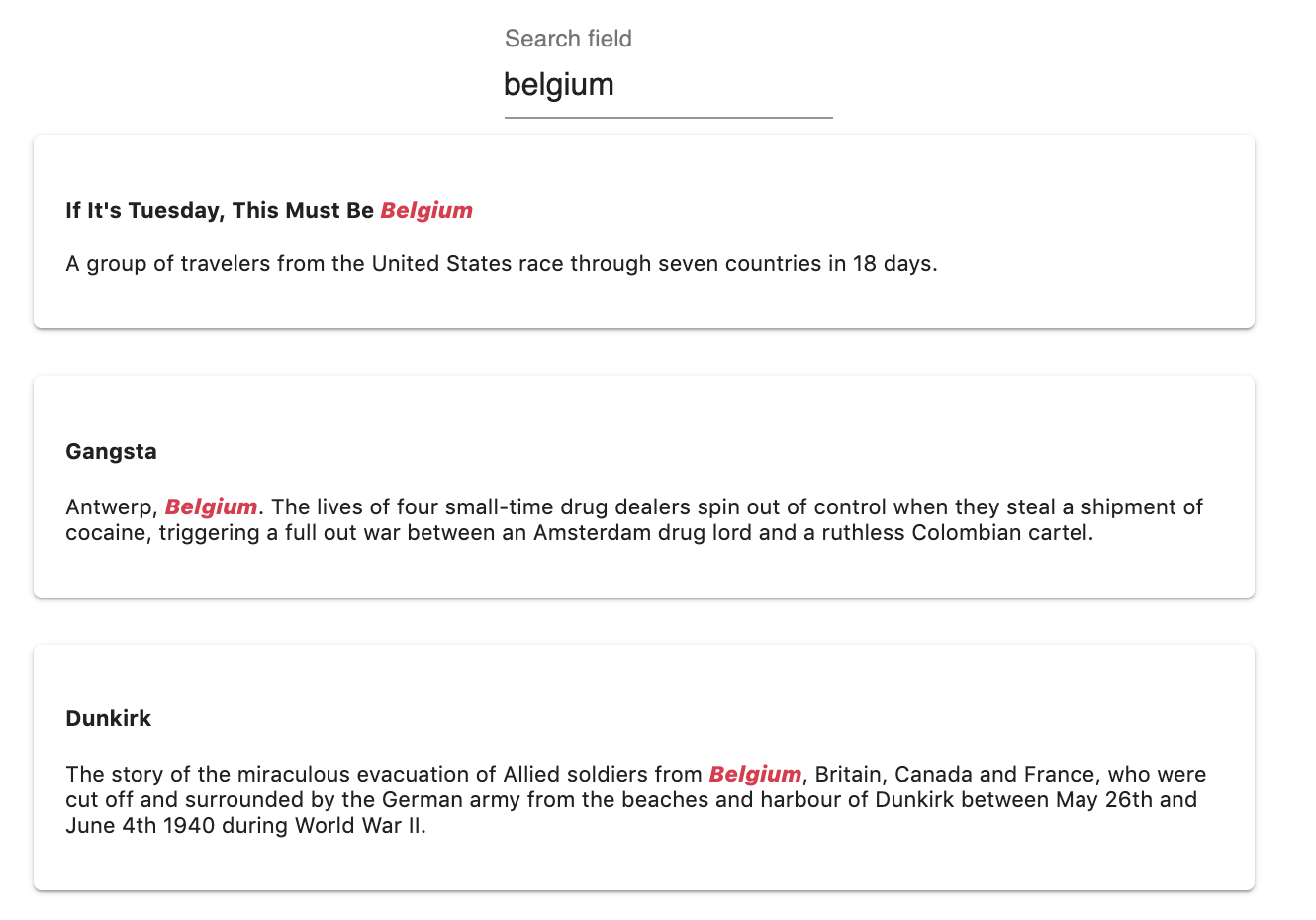
Results are sorted according to the attribute ranking order. Returns documents that contain query terms in more important attributes first. This ranking rule ignores the position of the matched words within the attribute.5. Attribute position
Results are sorted by the position of query terms within the attributes. Returns documents that contain query terms closer to the beginning of an attribute first. This ranking rule ignores the attribute ranking order.Attribute
attribute is an older built-in ranking rule equivalent to using both attributeRank and attributePosition together. When you use attribute, Meilisearch first sorts results by the attribute ranking order, then uses the position within attributes as a tiebreaker.
For most use-cases, we recommend using attributeRank and attributePosition separately. This gives you more control over result ordering by allowing you to place other ranking rules (like sort or custom ranking rules) between them.
6. Sort
Results are sorted according to parameters decided at query time. When thesort ranking rule is in a higher position, sorting is exhaustive: results will be less relevant but follow the user-defined sorting order more closely. When sort is in a lower position, sorting is relevant: results will be very relevant but might not always follow the order defined by the user.
Differently from other ranking rules, sort is only active for queries containing the
sort search parameter. If a search request does not contain sort, or if its value is invalid, this rule will be ignored.7. Exactness
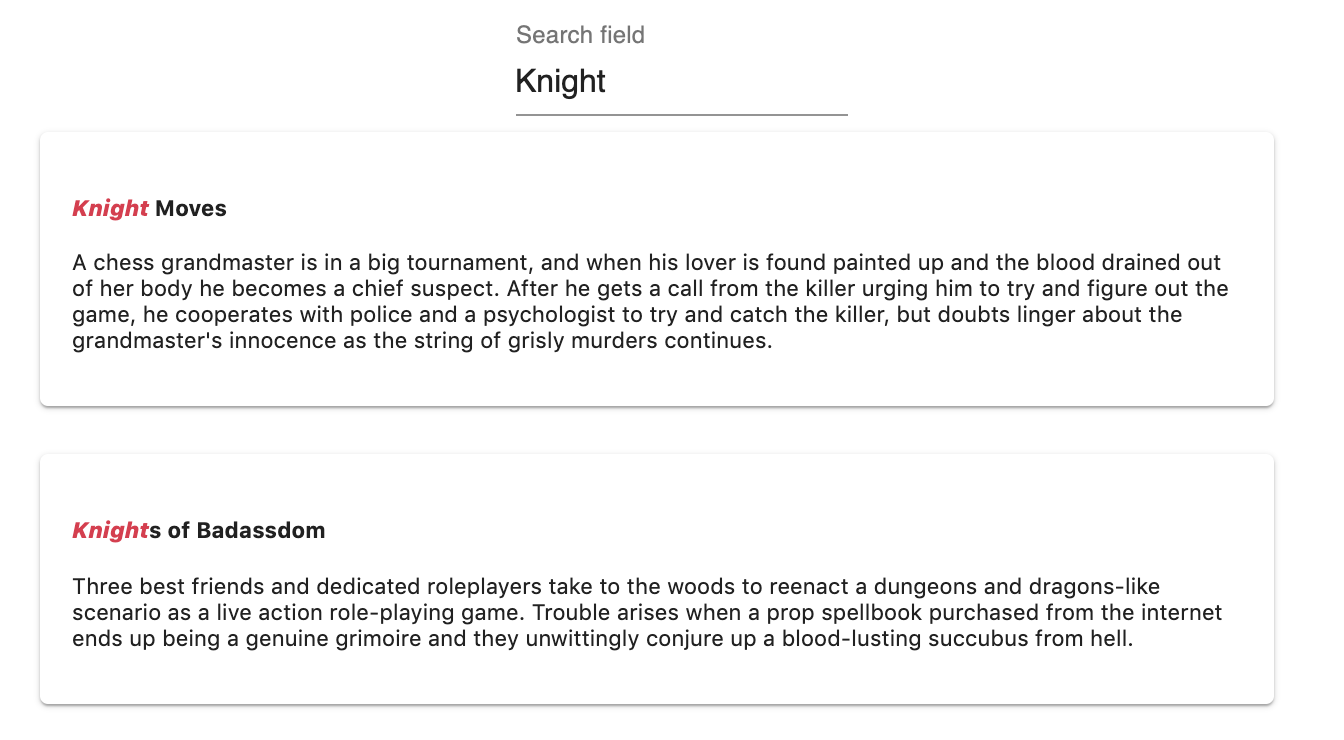
Results are sorted by the similarity of the matched words with the query words. Returns documents that contain exactly the same terms as the ones queried first.Examples
- Typo
- Proximity
- Attribute rank
- Exactness
Typo
vogli: 0 typovolli: 1 typo
typo rule sorts the results by increasing number of typos on matched query words.